Documentation
Configure Smart Variant Listings from the Shopify admin dashboard and create grouped product experiences for your storefront.
1. App Dashboard Overview
After installing the app, open the Smart Variant Listings dashboard. You can manage product groups, layouts, automatic rules, and settings from here.
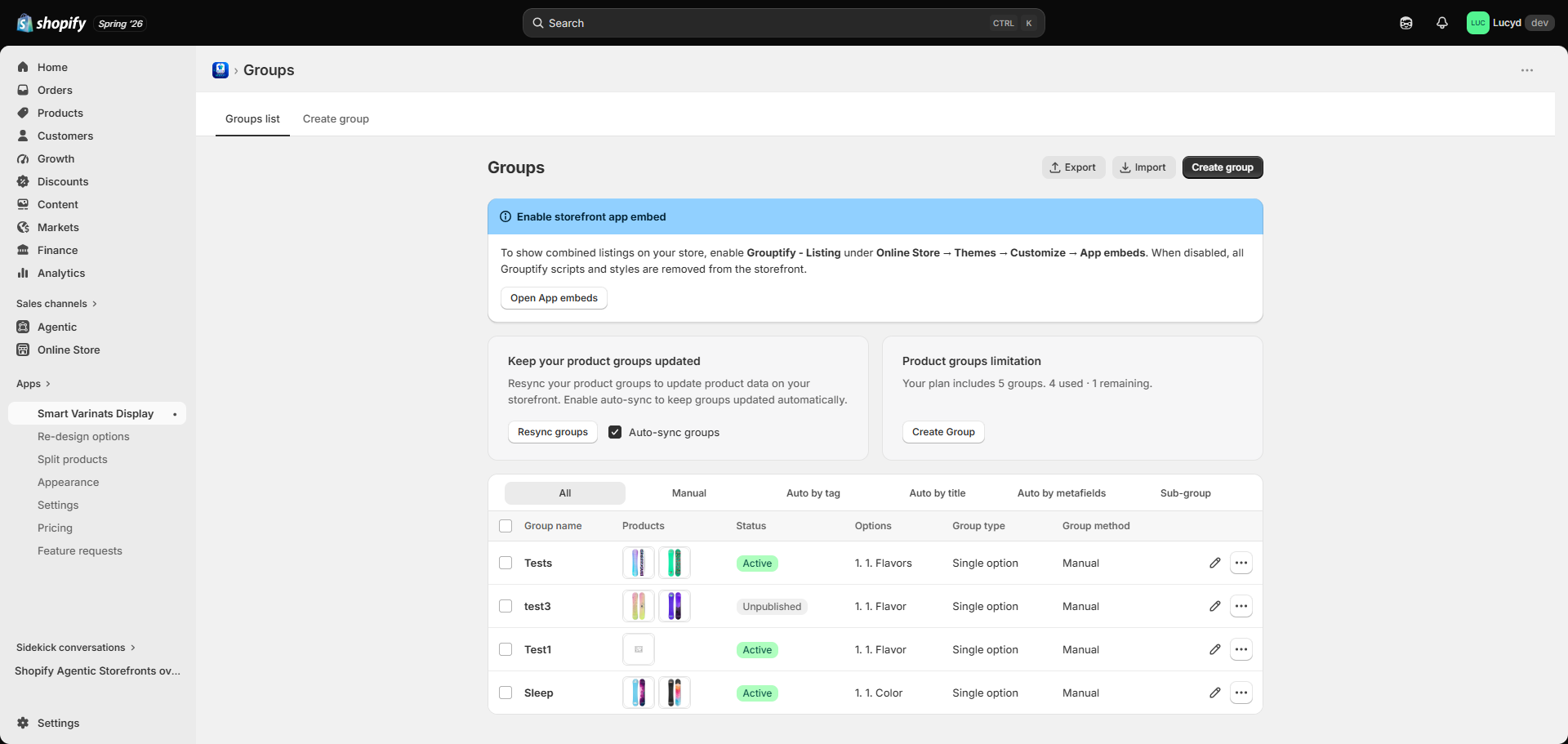
Smart Variant Listings Dashboard
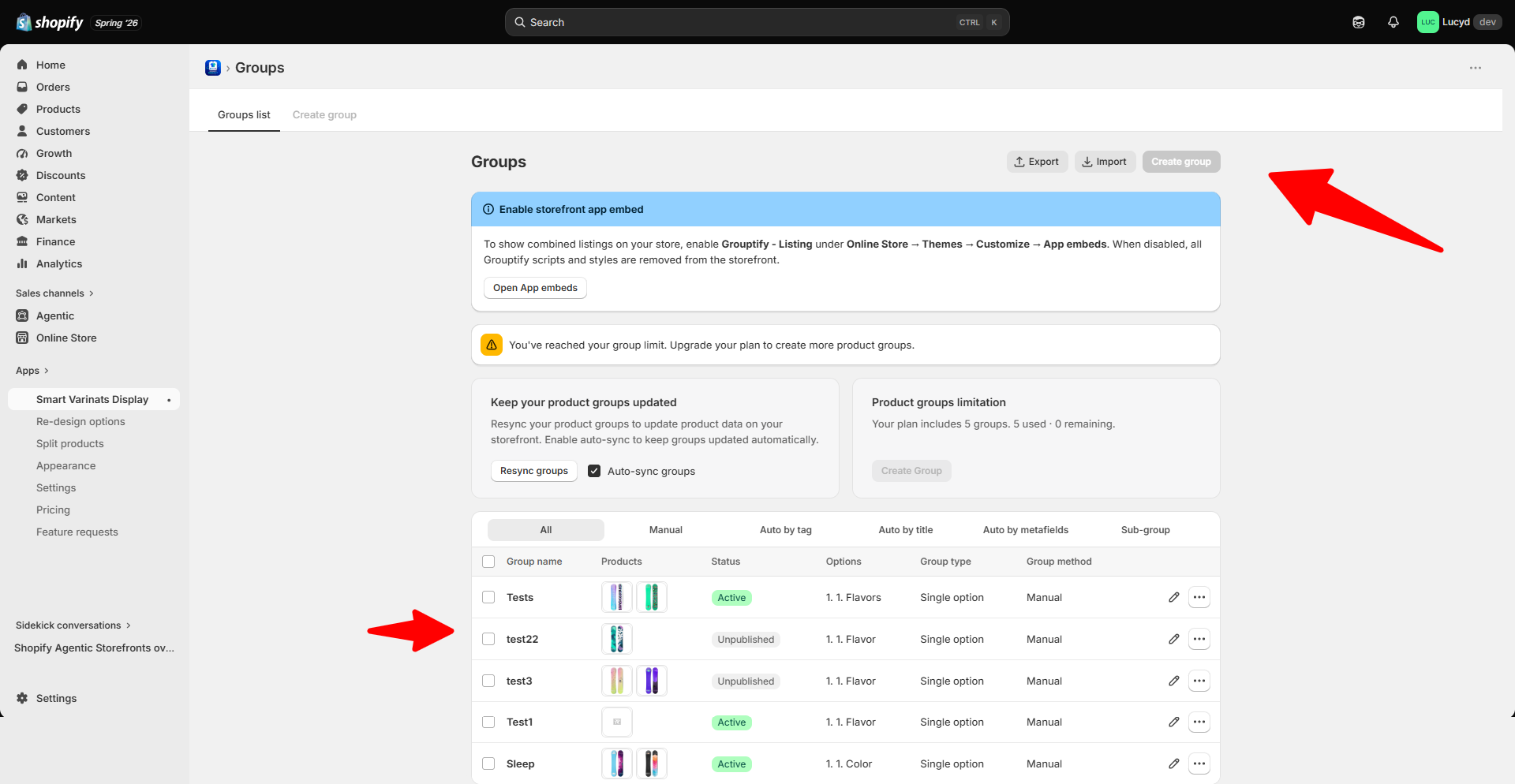
2. Create Product Group
Create a new group by selecting multiple Shopify products that should appear together as variants.
- Open Product Groups.
- Click Create New Group.
- Select products.
- Save the group.
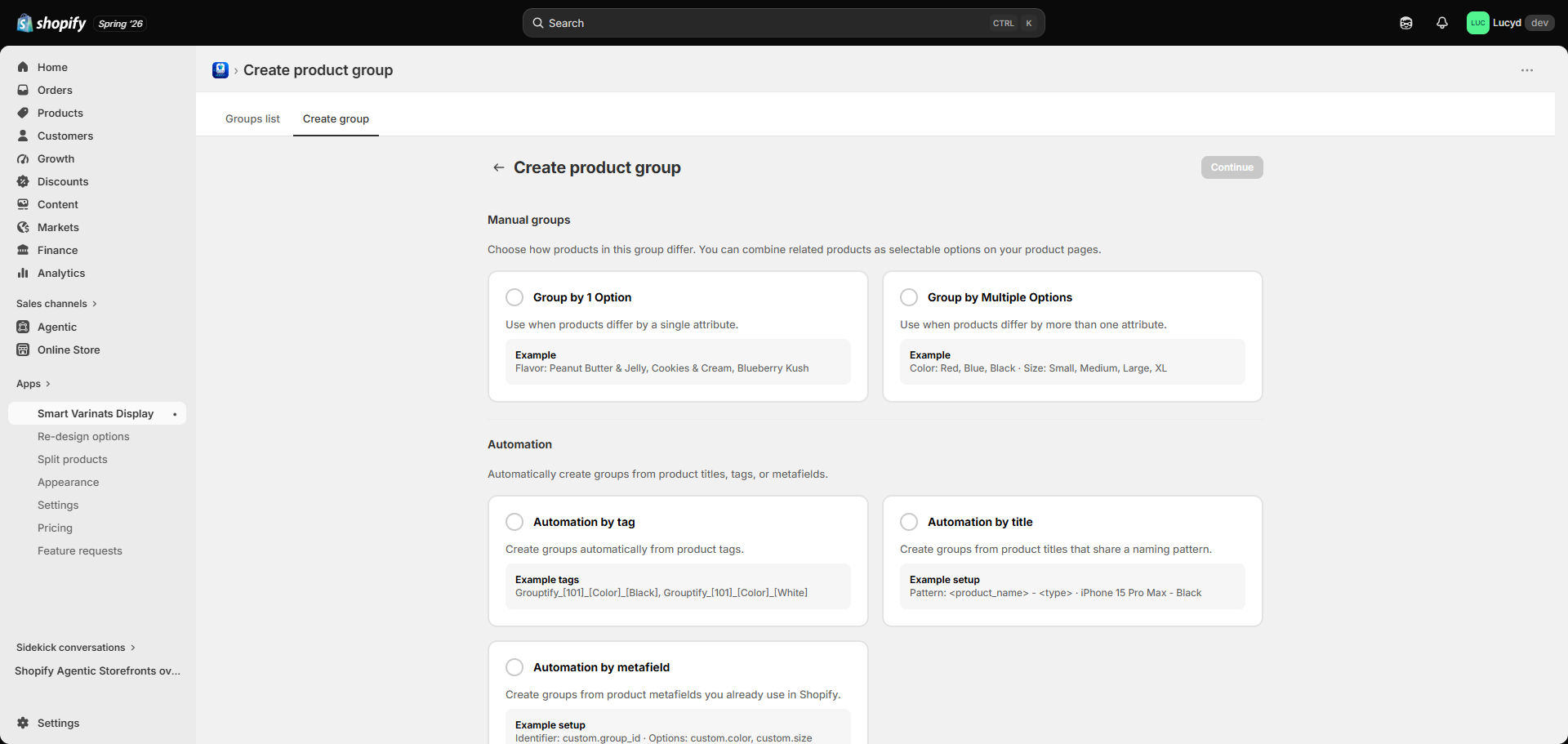
Create a new product group
3. Product Selection
Choose the products you want to connect together. Each product remains independent with its own inventory and SEO.
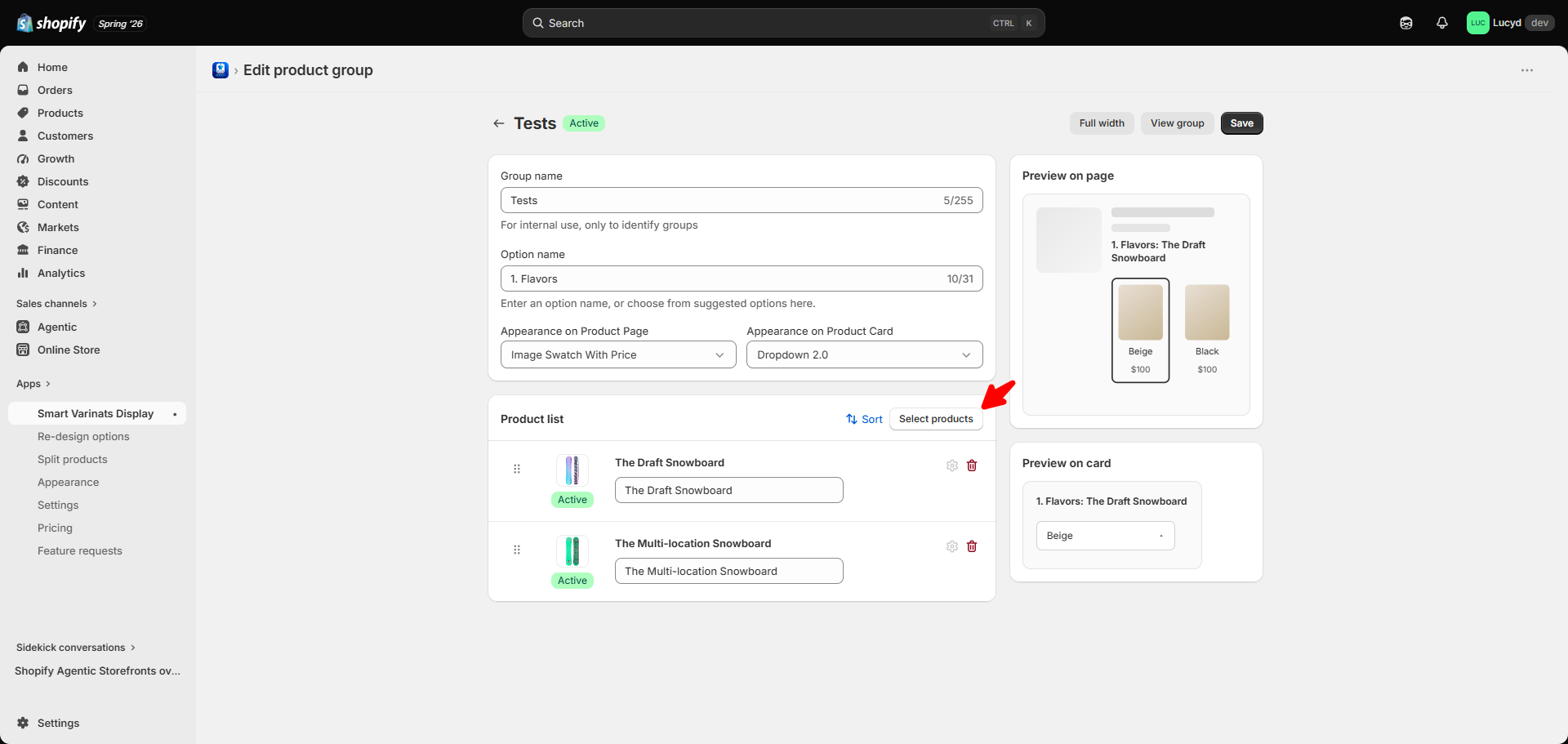
Select products for grouping
4. Display Layout Settings
Configure how customers will see grouped products on the storefront.
- Swatches
- Buttons
- Dropdown
- Shopify Variant Style
Configure storefront display options
5. Automatic Grouping Rules
Automatically create groups using Shopify product information.
- Tags
- Titles
- Metafields
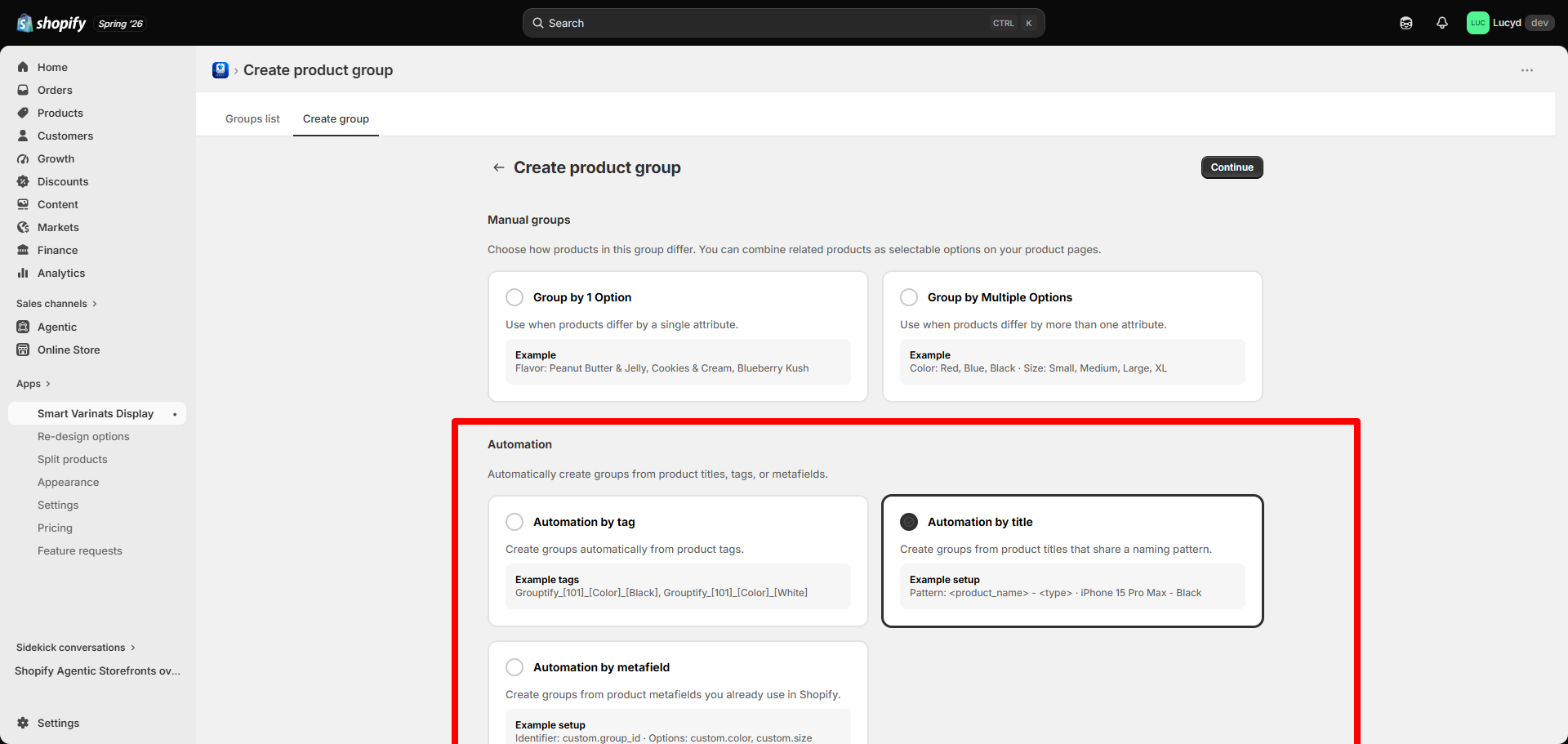
Automatic product grouping configuration
6. CSV Import / Export
Manage large product catalogs using CSV import and export.
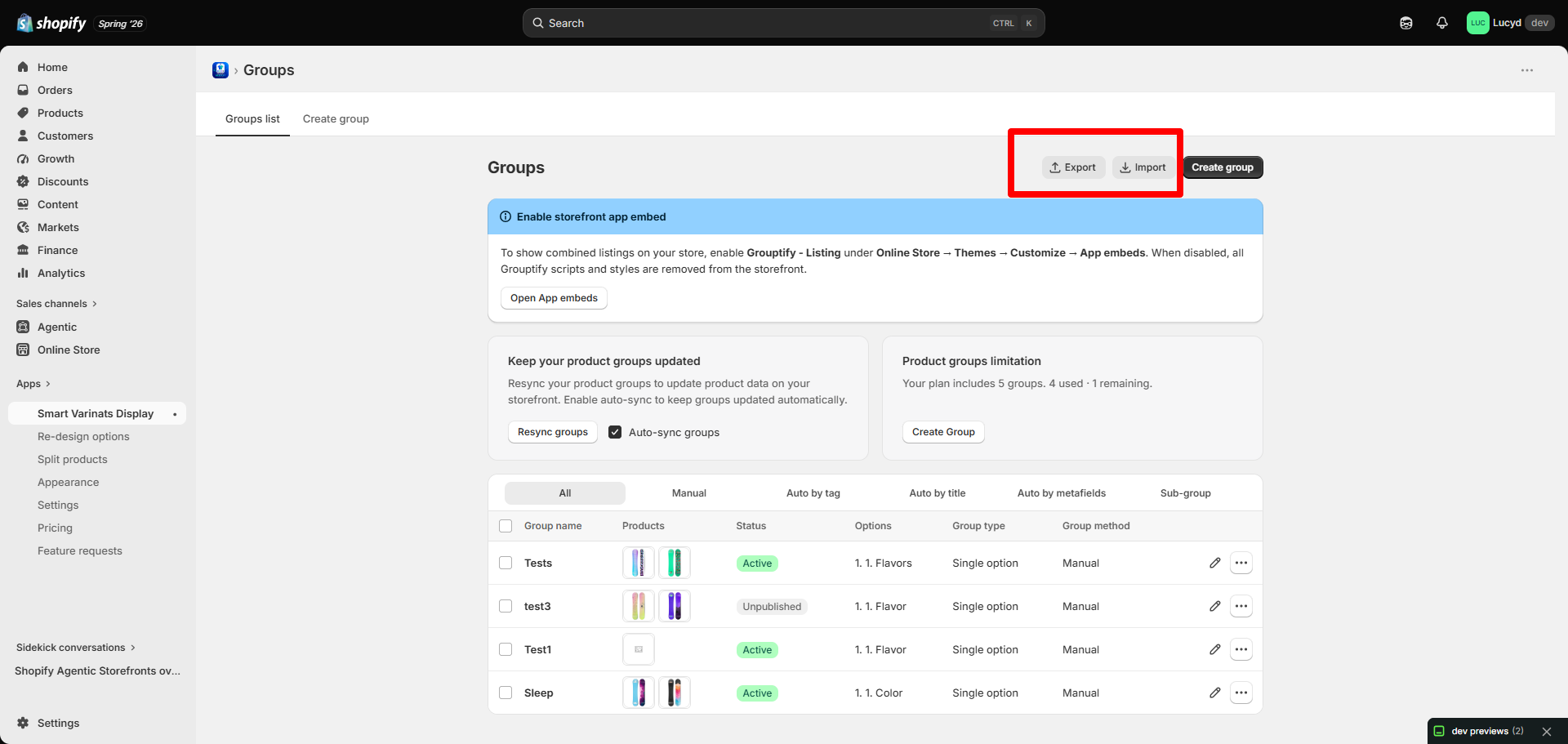
CSV import and export management
7. Theme Integration
Enable the App Embed and add the Product Block from Shopify Theme Editor.
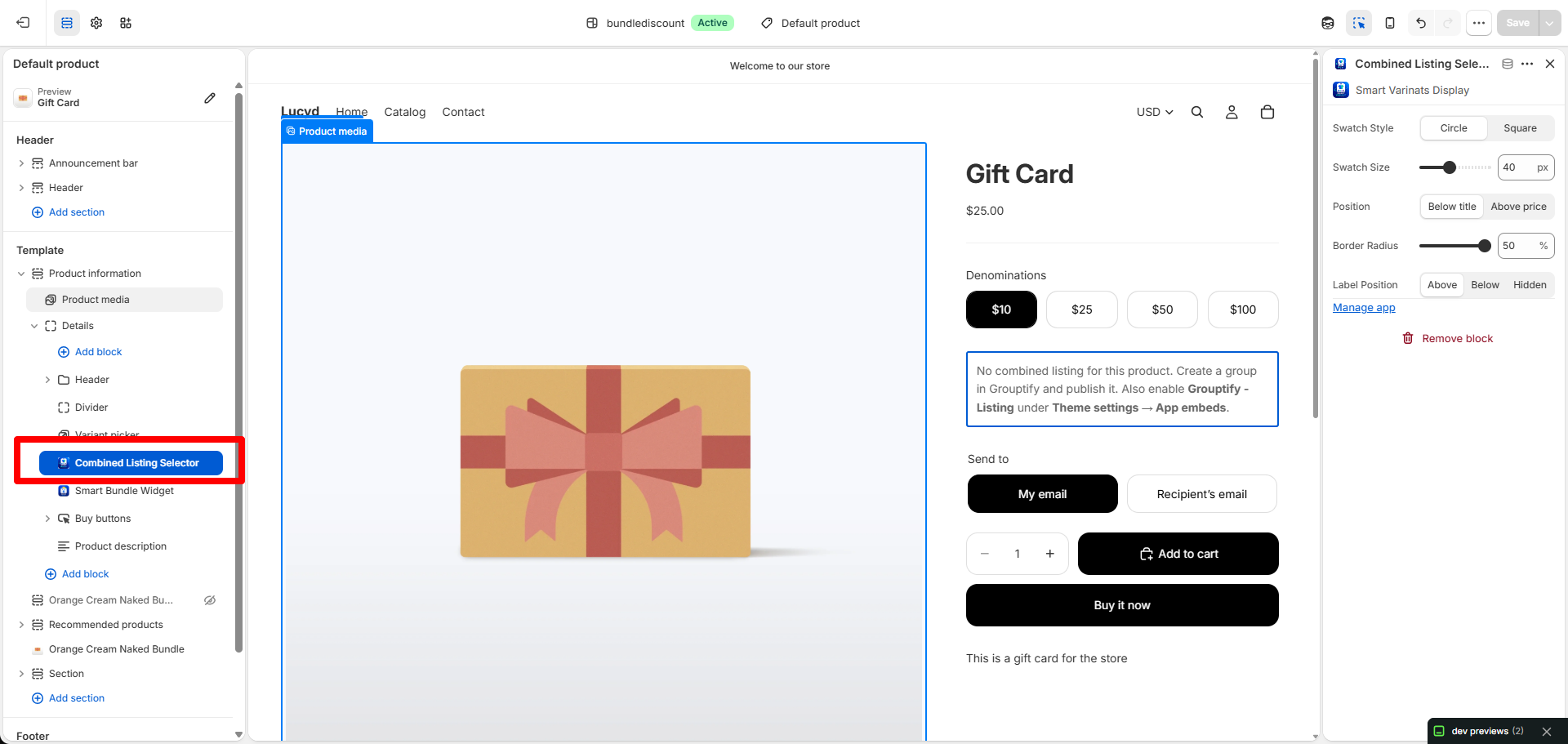
Enable Smart Variant Listings in Shopify Theme Editor
8. Storefront Result
After setup, customers will see grouped products as a seamless variant selection experience.
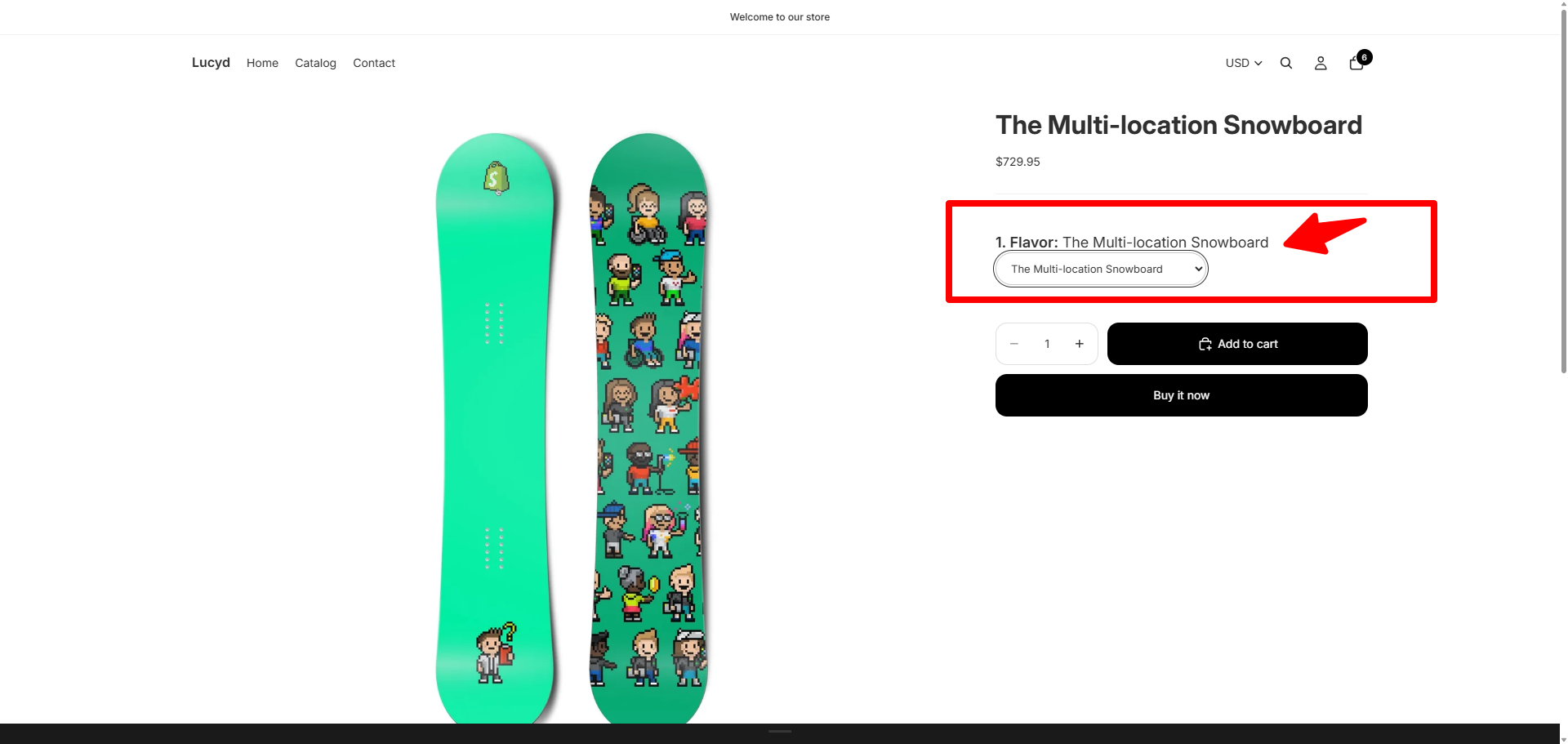
Grouped products displayed on storefront
Need Help?
If you need assistance with setup, contact our support team.
Email: [email protected]
Go to Support